Core Technical Specifications
Q: What is the hashrate and power consumption of the LG07 Pro?
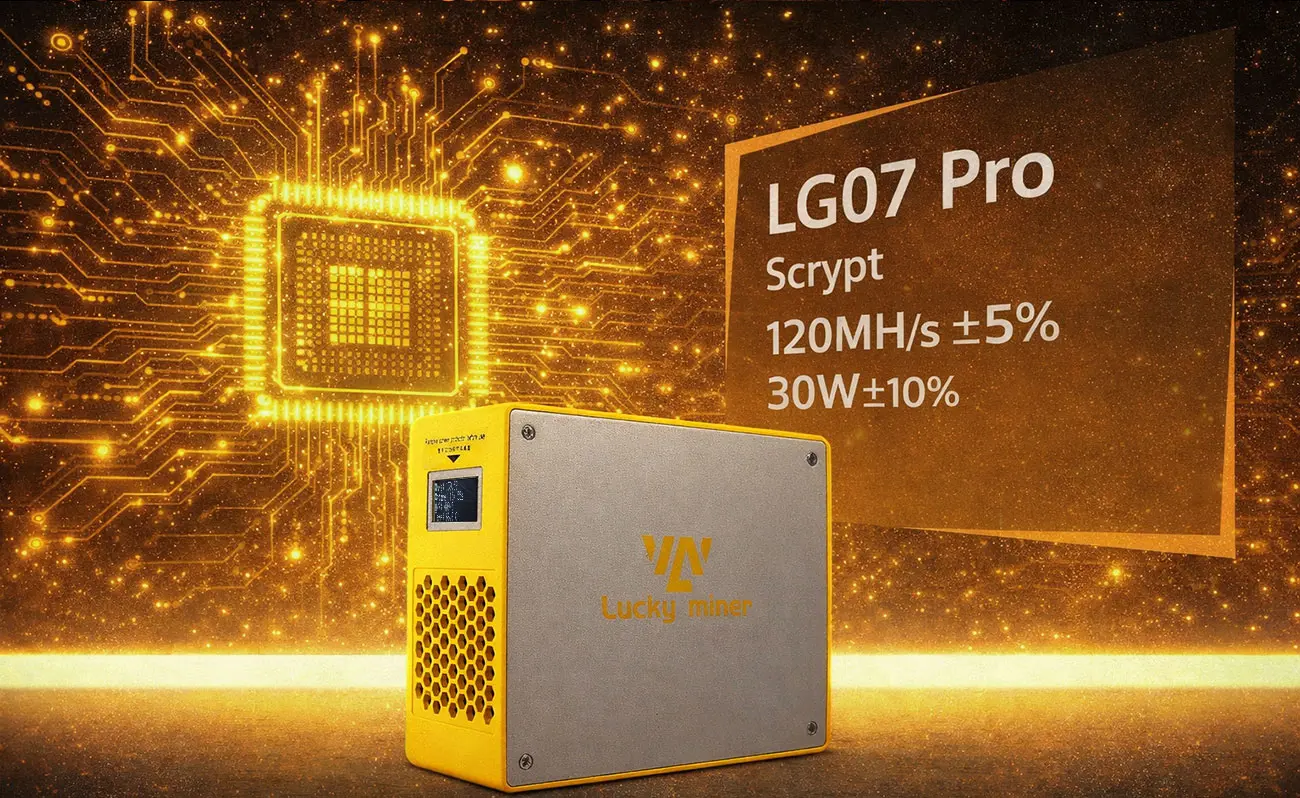
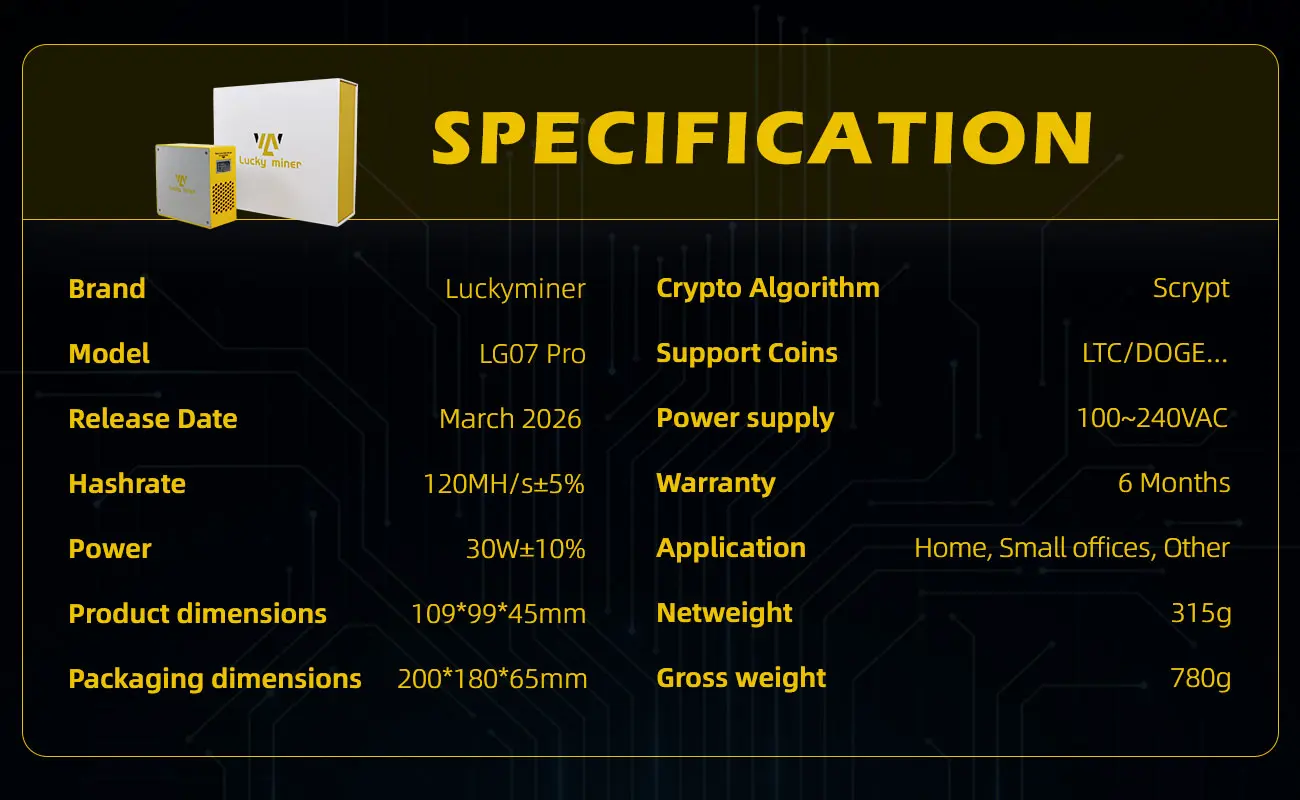
A: Typical hashrate: 120 MH/s (±10%). Power consumption: 30W (±10%) at 25°C. It uses the Scrypt algorithm and requires a 12V/5A power adapter.
Q: What are the AC input specifications?
A: AC input voltage: 100–240V, frequency: 50/60Hz, input current: 0.6A. The adapted AC output power requirement is 60W.
Power Safety & Usage Precautions
Q: Can I use a third-party power adapter?
A: No. Use only the included 12V/5A power adapter. Third-party adapters may cause device damage or fire hazards.
Q: What electrical precautions should I take?
A: Ensure a stable power supply with no voltage fluctuations. Use a surge protector in areas with unstable power. Do not daisy-chain adapters or use extension cords that do not meet the current requirement (≥0.6A). Disconnect power before cleaning, moving, or performing maintenance.
Q: Where should I place the miner?
A: Operate in a dry, well-ventilated environment. Avoid direct sunlight, heat sources (e.g., radiators, ovens), and humid areas (e.g., bathrooms, basements with condensation). Maintain at least 10cm clearance around the miner for unobstructed airflow.
Q: Can I stack multiple miners or use it in a closed cabinet?
A: No. Do not stack miners or place them close to other electronic equipment. Do not use in confined spaces (e.g., closed cabinets, drawers) – blocked ventilation will cause overheating and permanent device damage.
Q: How should I store the miner when not in use?
A: Store in a dry, temperature-controlled environment. For long-term storage, ensure the device is unplugged and kept away from moisture and extreme temperatures.
Q: What actions void the warranty?
A: Disassembling, modifying, or repairing the miner by yourself. Installing unofficial firmware. Spilling liquids or inserting foreign objects into ports/ventilation holes. Using third-party adapters or causing damage from overheating / water exposure.
Network Connection & Mining Configuration
Q: How do I power on and connect to the miner?
A: Connect the AC cable to the adapter input, then connect the adapter output to the miner's DC port. After power on, the adapter indicator light turns green, the fan runs, and the miner screen displays: "connect to ssid: Lucky_*****".
Q: How do I connect to the miner's WiFi?
A: Search for the miner hotspot "Lucky_*****" via WiFi on your phone or computer. Select the hotspot and wait 5–10 seconds; the browser will automatically redirect to the mining configuration interface.
Q: What settings do I need to configure?
A: Enter the settings interface via the redirect or by typing the IP address in your browser. Configure: WiFi SSID, WiFi Password (no special characters), Stratum URL (mining pool address), Stratum Port, Stratum User (username or wallet address), Frequency, and Core Voltage.
Q: How do I save and apply the settings?
A: After completing the settings, click the "Save" button, then click the "Restart" button. Wait 30–60 seconds for the Home page to display real-time running status (Overview, Power, Pool info, Results, etc.).
Q: How do I check the miner's status?
A: The Home page shows real-time status. The miner screen will synchronously scroll to display the same information. You can also check the pool status by logging into the mining pool website or app using your username or wallet address.
Mining Pools & Mineable Projects
Q: Which mining pools are recommended for LG07 Pro?
A: Example pools for LTC: ltc.viabtc.io:3333, ltc.zsolo.bid:4057, ltc.luckymonster.pro:4112, ltc.millpools.cc:3567, stratum.aikapool.com:7900, sg.pmpmining.com:5057, pool4ever.com:7700. For XVG: mining.xvg-pool.com:8156.
Q: Where can I find the latest list of Scrypt mining pools?
A: Visit https://miningpoolstats.stream/litecoin for the latest and full list. Note: Some pools may be inaccessible due to regional restrictions – the manufacturer does not guarantee access to all listed pools.
Q: Which cryptocurrencies can LG07 Pro mine?
A: LG07 Pro is applicable to all Scrypt algorithm projects, including but not limited to: LTC, DOGE, BELLS, PEP, LKY, DGB, XVG, EMC2, FLO, GLCM, MOON, NVCN, TBC, AUR, FXT, CSP, BABY, WDCA, USB, TBE, FLNA, HLT, BEMD, CCB, ADS, MLY, VLST, ROLL, BTCS, IRL, ZETX, ZNEN, GGC, NCH, ALYN, SORA, IBH, ROG, ERC, CHEESE, BTG, QACE, ACM, ARS, TIP, SBUT, XDG, CMT, BC, SCHON, TM42, VCN, CESC, ANTS, RPC, QAN, ONK, OTTL, TDS, VEZ, CSM, CNT, UBO, COY, ERE, ETRIL, SON, FEC, DOGMC, YPH, LOXP, OTRIF, CLAM, BYF, IURY, MCS, ATON, ECN, SOS, HEVE, ACA, IBC, FLAP, XLR, MMN, TPP, PWC, ATF, ROG, EBT, REM, OIJ, KCC, RCD, ING, OFB, XSH, ICB, QCB, ONB, CBON, KCBR, CFLOP, DEV, FLIN.
Q: Can LG07 Pro access all mining pools?
A: Due to regional and mining pool access difficulties, LG07 Pro cannot access all mining pools. The manufacturer is not responsible for pool access issues caused by regional restrictions, pool server outages, or network problems.
Frequency & Core Voltage Recommendations
Q: What are the recommended frequency and core voltage for LG07 Pro?
A: Frequency ≤ 2400 MHz. Core voltage ≤ 1300 mV. When power consumption exceeds 40W, please gradually reduce frequency and voltage.
Q: What happens if I exceed the recommended power?
A: Exceeding 40W may cause overheating or instability. Reduce frequency or voltage gradually to bring power consumption back within safe limits.
Maintenance & Warranty
Q: How often should I clean the miner?
A: Use a soft, dry brush or low-pressure compressed air to clean the ventilation holes and cooling fan every 2–4 weeks (more frequently in dusty environments). Turn off and unplug the miner before cleaning.
Q: What should I do if the fan makes abnormal noise or stops?
A: Stop using the miner immediately and contact customer support. Do not attempt to repair the fan yourself.
Q: How to handle unstable WiFi or frequent disconnections?
A: Reconnect or reset the WiFi settings. Ensure the network is stable and the miner is within range of a reliable 2.4GHz WiFi signal.
Q: What is the warranty period for LG07 Pro?
A: Lucky Miner LG07 Pro comes with a 6-month warranty.
Q: What voids the warranty?
A: Disassembly, modification, use of unofficial firmware, or damage due to non-compliance with the manual (e.g., overheating, water damage, third-party adapter). No after-sales service is provided for devices with unofficial firmware or modifications.