
Magicminer BG02 Silent Desktop Miner | 7.0TH/s SHA-256, 150W

Magicminer BG02 Silent Desktop Miner | 7.0TH/s SHA-256, 150W

19% off
$416.00 USD
$339.00 USD
 per 
Power Supply Standard: US Plug
Worldwide Delivery

Efficient logistics to anywhere

Quality Guarantee

Committed to superior standards

After-Sales Service

Attentive support for every order

Description

Product Overview:

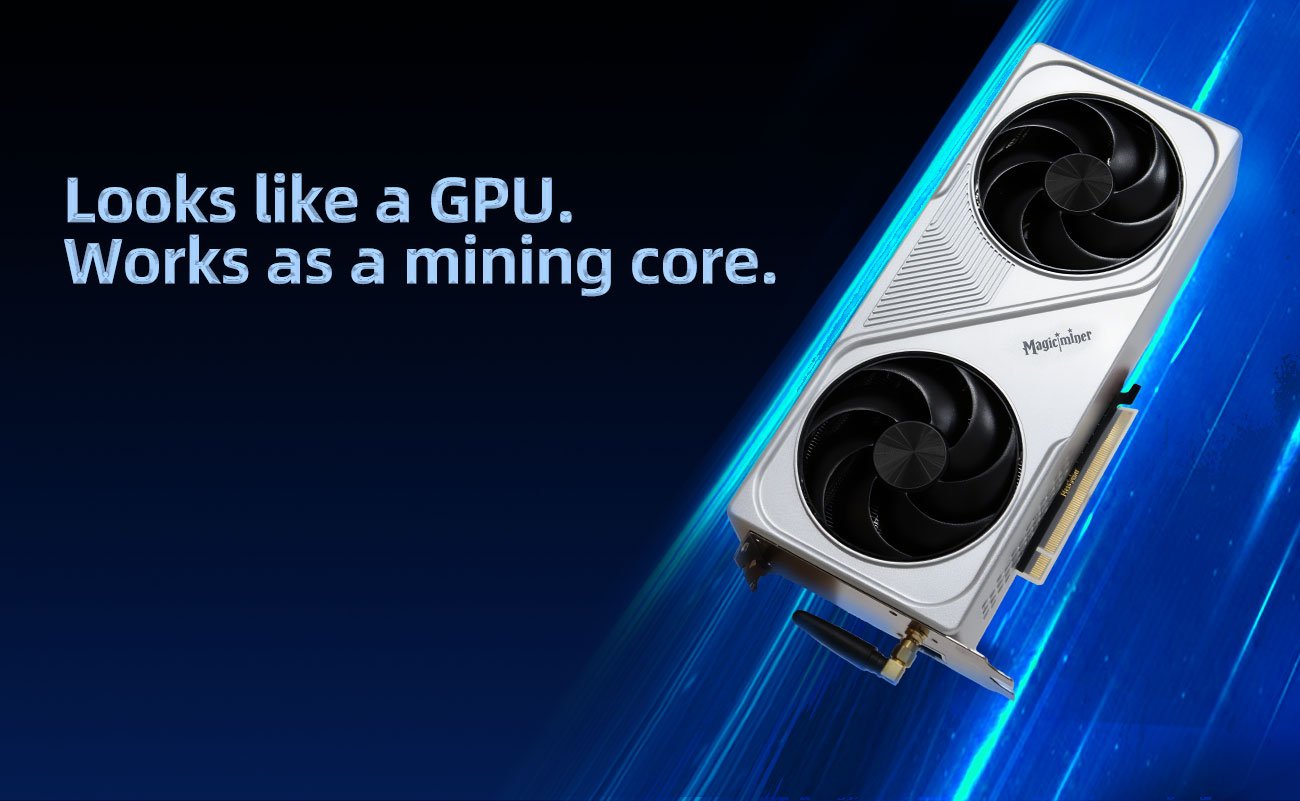
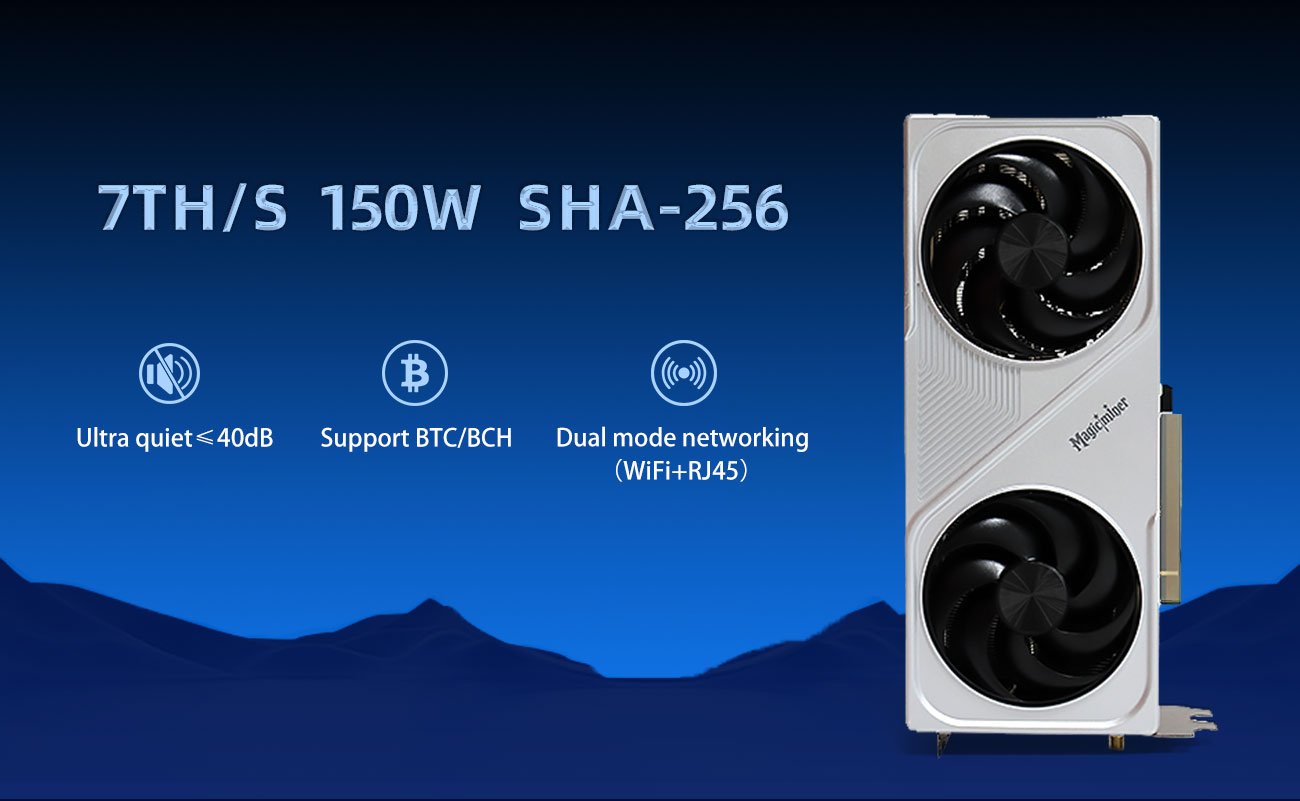
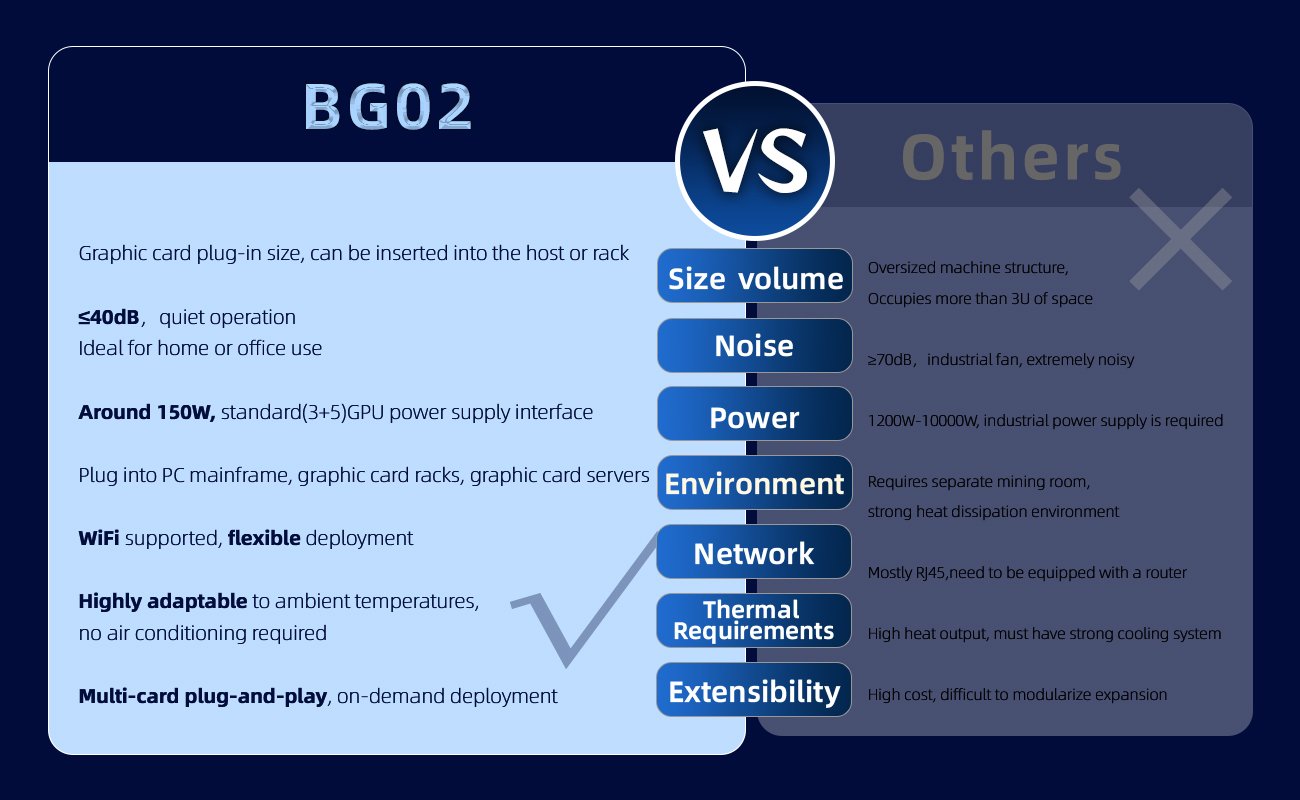
The Magicminer BG02 AELT is a high-performance SHA-256 mining card designed for enthusiasts who value both efficiency and distinctive aesthetics. Inspired by the "Flame Core Artisan" AELT, this card delivers a robust 7.0 TH/s hash rate while consuming only 150W of power. It fits seamlessly into standard desktop PC cases via a PCIe x16 slot, making it an ideal choice for home miners seeking a compact, powerful, and visually striking solution for mining Bitcoin (BTC), Bitcoin Cash (BCH), and other SHA-256 algorithm coins.

Key Features:

Powerful SHA-256 Performance
The BG02 AELT delivers a stable hash rate of 7.0 TH/s (±5%), striking an excellent balance between mining performance and power efficiency. It supports both SOLO and PPS mining modes.

Energy-Efficient Design
With a power consumption of approximately 150W (±10%), the BG02 AELT operates with low energy costs. It requires a stable power supply to ensure reliable operation, but its core consumption remains highly efficient for its performance class.

Standard PCIe x16 Form Factor
Designed to fit into standard graphics card slots, the BG02 AELT measures 285 mm x 134 mm x 50 mm. It comes with a flexible power cable and can be installed into most desktop PC cases, saving space compared to traditional mining rigs.

Unique Aesthetic & Collector's Edition Design
The BG02 AELT is not just a miner—it is a piece of crypto art. Inspired by the character "AELT, Flame Core Artisan," this card features a distinctive silver-themed design with a companion fire fox motif. It blends function with fantasy, appealing to collectors and miners alike.

Flexible Connectivity Options
The device supports both wired Ethernet and Wi-Fi 2.4G connectivity. Whether you prefer a stable wired connection or the convenience of wireless setup, the BG02 AELT adapts to your network environment.

Easy Setup Process
The setup follows a straightforward process:

  1. Power off the host and ensure energy is fully dissipated.

  2. Securely insert the card into a PCIe x16 slot.

  3. Connect the power source (ensure stable supply).

  4. Connect to the network via Ethernet or Wi-Fi.

  5. Power on the host.

  6. Configure mining pool address, wallet address, and password via the web interface.

  7. Begin mining.

Important Usage Notes:

  • Thermal Management: Maintain ambient temperature below 35°C and ensure proper airflow around the card.

  • Power Stability: Use a high-quality power supply to prevent voltage surges.

  • Maintenance: Regularly clean the fans and heatsinks to prevent dust buildup and maintain cooling efficiency.

  • Firmware: Only use official firmware. Manual may be updated; always refer to the latest official documentation.

  • Support: For technical inquiries, contact official support at support@magicimer.cc.

Warranty & Support:
The Magicminer BG02 AELT comes with a 6-month warranty covering core components, with extension options available. Join the community via the QR code included in the package for updates and discussions.

Package Contents:

  • 1 x Magicminer BG02 AELT Device

  • 1 x Power Cable

  • 1 x User Manual

  • 1 x Warranty Card

Specification

Product Glance
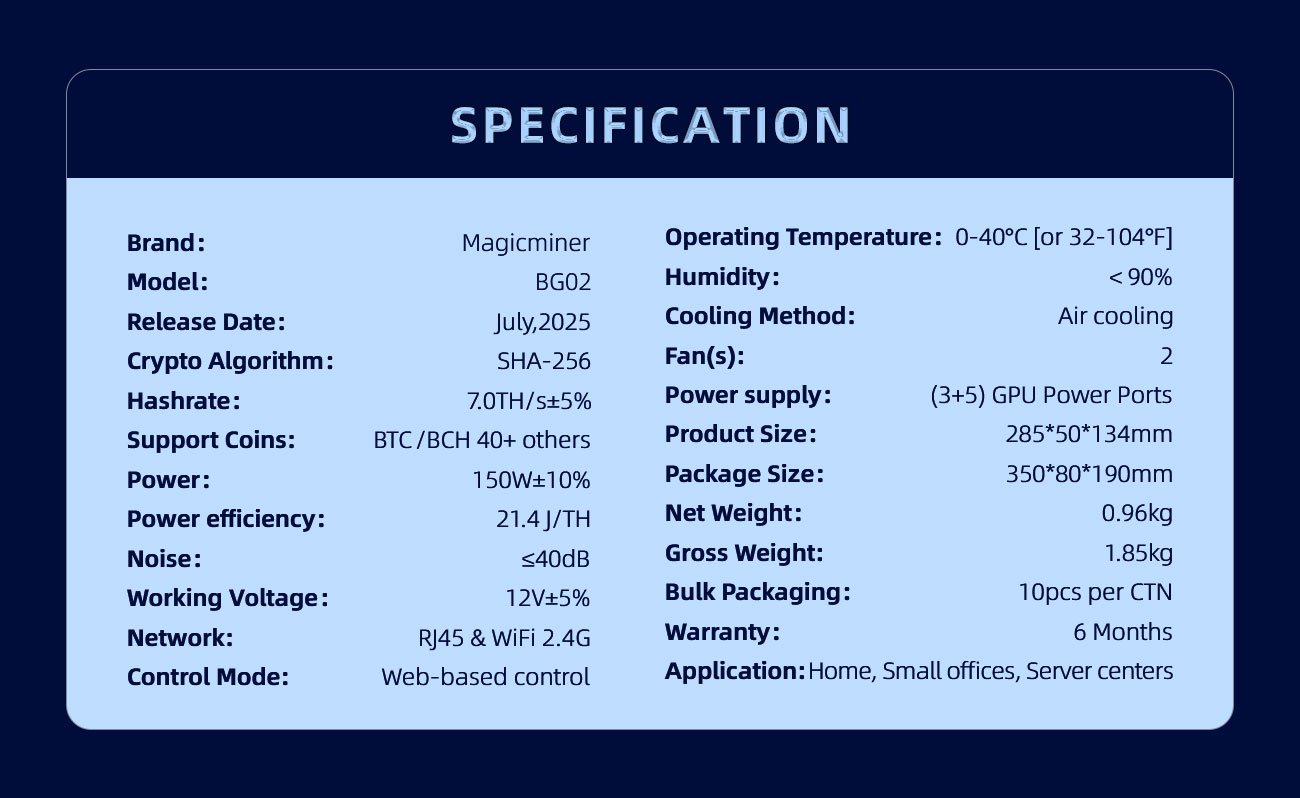
Brand: Magicminer
Model: BG02 AELT
SKU: MGBG02NN
Edition: Silver / Flame Core Artisan
Product Code: MM-001-AG
Color: Silver
Crypto Algorithm: SHA-256
Supported Coins: BTC, BCH, BSV, XEC, FB, and other SHA-256 algorithm projects
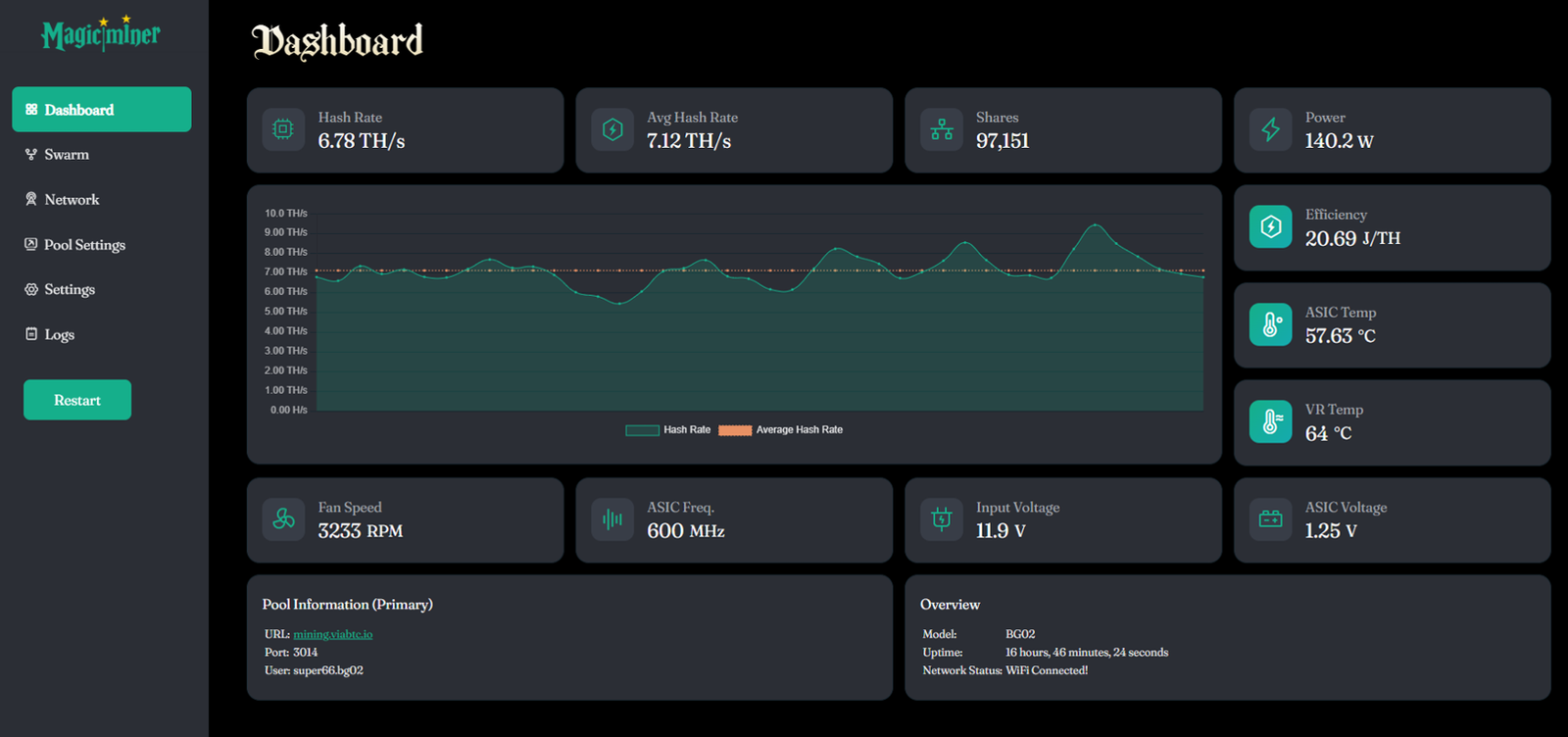
Typical Hash Rate: 7.0 TH/s (±5%)
Power Consumption: 150W (±10%)
Mining Mode: SOLO & PPS

Power Requirements
Power Interface: Flex Cable (8-pin)

Hardware Configuration
Form Factor: Standard graphics card
Dimensions (Packaging): 350 mm x 190 mm x 80 mm
Gross Weight: 1.85 kg
Networking Connection: Wi-Fi 2.4G / Wired Ethernet

Environmental Requirements
Operating Temperature: ≤ 35°C
Cooling Method: Active air cooling (fans + heatsink)

Warranty
Warranty Period: 6 months (core components)
Extension Options: Available

FAQ

Product Overview

Q: What is the BG02 (AELT Silver) home miner?
A: The BG02 is a SHA256 PCIe miner designed for home use and desktop integration. It fits into a standard graphics card slot and delivers 7.0 TH/s hashrate, making it a suitable entry-level device for those new to cryptocurrency mining.

Q: What are the key technical specifications of this solo miner?
A: Key specifications include:

  • Model: BG02 (AELT Silver)
  • Algorithm: SHA-256 (supports BTC, BCH, BSV, DGB, and more)
  • Hashrate: 7.0 TH/s (±5%)
  • Power: Approximately 160W
  • Interface: PCIe x16 + Flex Cable (8pin [3+5])
  • Dimensions: 263 × 108 × 50 mm (standard graphics card size)

Installation & Setup

Q: How do I install the BG02 home miner?
A: Follow these steps:

  1. Turn off the host and wait for residual energy to fully dissipate.
  2. Insert the device securely into the PCIe x16 slot.
  3. Connect the power supply using the 8pin [3+5] Flex Cable (use a stable power supply of at least 1300W).
  4. Connect to the network via Ethernet (RJ45) or WiFi (select "Flame Signal Channel" and enter the key).
  5. Restart the host to wake up the device.

Q: What network connection options does this solo miner support?
A: The BG02 supports both Ethernet and WiFi. For Ethernet, plug the cable into the RJ45 port on the back of the host. For WiFi, go to the system interface, select "Flame Signal Channel", and enter the key to connect.

Q: How do I configure mining after installation?
A: After the device powers on, configure the following items through the system interface:

  • Mining pool address
  • Public key (worker)
  • Wallet address (wallet identifier)

Once these settings are complete, run the mining software to start hashing.

Troubleshooting

Q: What should I do if the miner does not start?
A: First, check the power connections. Ensure the device is firmly seated in the PCIe slot. Poor power contact or insufficient supply is usually the cause.

Q: What does "Weak Flame" mean and how do I fix it?
A: "Weak Flame" indicates incorrect configuration settings. Double-check the mining pool address, public key, and wallet address, then re-enter the configuration correctly.

Q: What causes overheating in this solo miner?
A: Overheating is typically caused by poor airflow or dust accumulation. Clean the fans and heatsinks regularly, keep the ambient temperature below 35°C, and ensure adequate air circulation.

Q: Why does the device restart randomly?
A: Random restarts are usually caused by unstable voltage. Replace the power supply with a higher-quality unit that provides stable and sufficient output (at least 1300W recommended).

Safety & Maintenance

Q: What are the recommended operating conditions for this home miner?
A: Keep the ambient temperature below 35°C and ensure good airflow. Use high-quality power supplies to prevent voltage fluctuations, and clean the fans and heatsinks regularly to avoid dust buildup.

Q: Can I remotely control this solo miner?
A: No. The BG02 only supports local control and does not offer remote management capabilities.

Ready to bring computing power into your life?